The Evolution of In-Car Connectivity
The trajectory of Apple CarPlay reflects the broader shift in automotive technology, where the software-defined vehicle has become a reality. In 2014, the primary selling point was safety: allowing drivers to access iPhone features without handling the device. By 2018, Apple introduced support for third-party navigation apps like Google Maps and Waze, a move that signaled a departure from a "walled garden" approach to a more collaborative ecosystem.
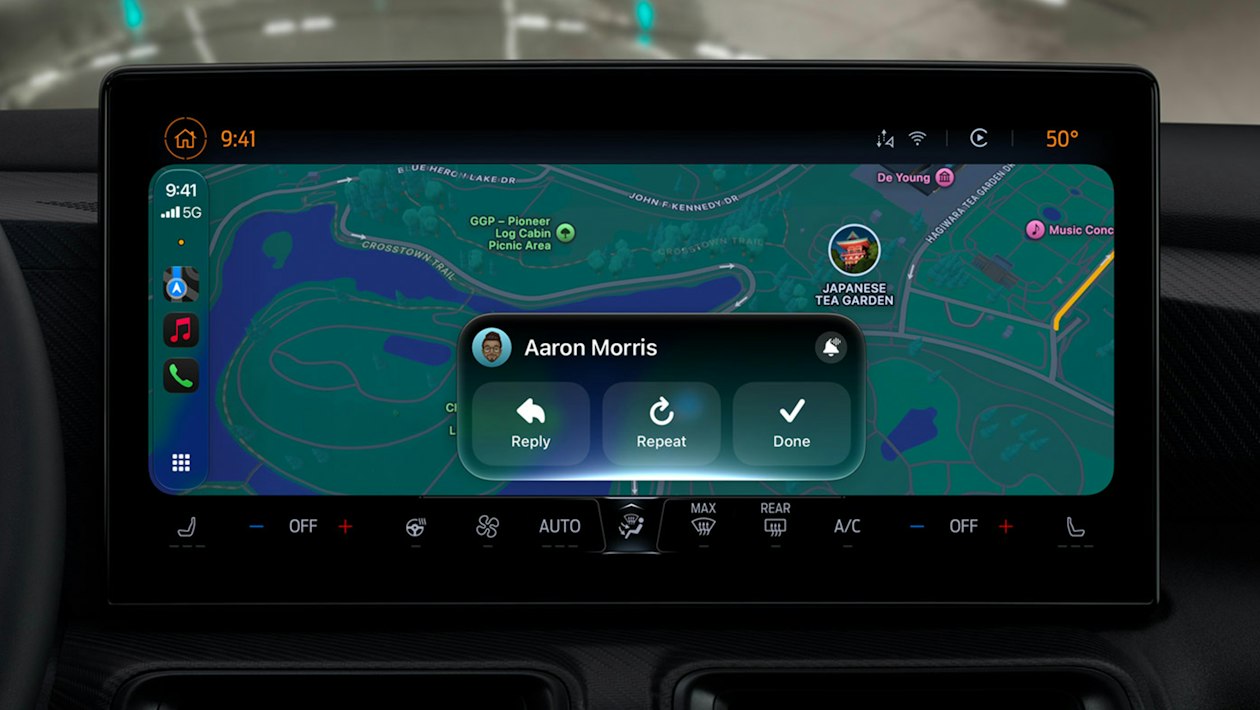
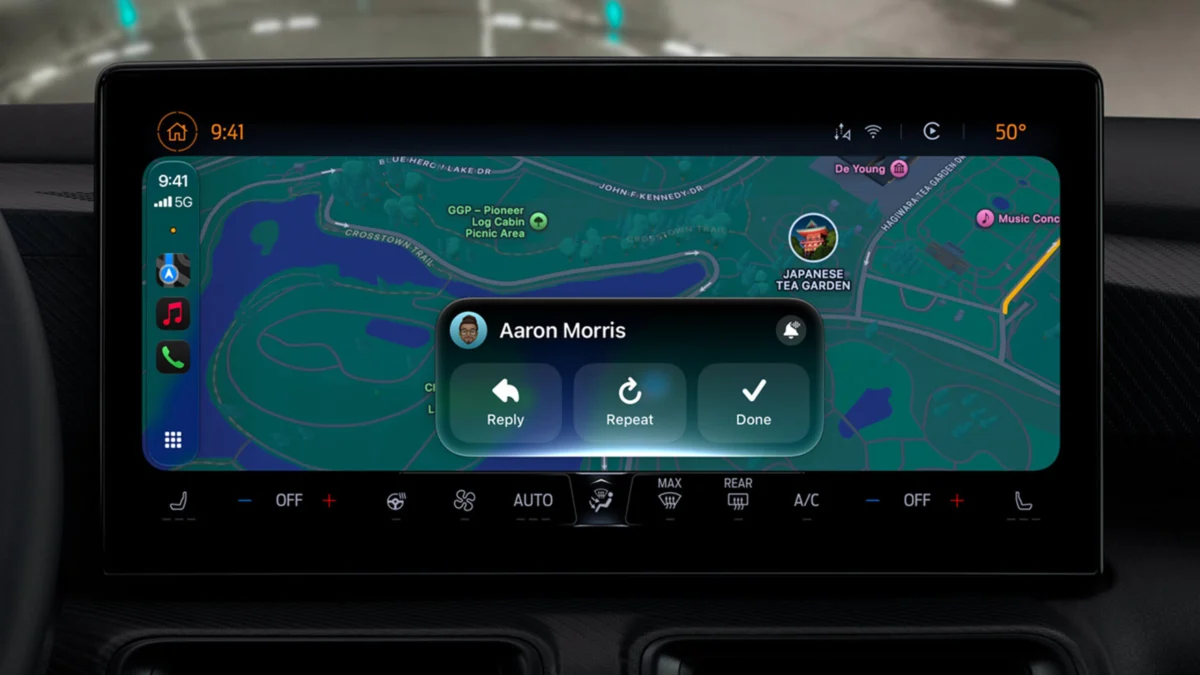
Today, the integration is seamless. With iOS 27, the barrier between the mobile operating system and the vehicle’s hardware has thinned, allowing for granular control over ambient lighting, climate, and even advanced driver-assistance systems. Industry analysts note that this evolution has turned infotainment screens into the most critical interface in the car, often dictating brand loyalty for younger demographics who prioritize digital connectivity over mechanical specifications.
Enhancing Utility: Underrated Functions for Daily Driving
Despite the rapid pace of feature rollouts, many drivers are unaware of the tools available to streamline their commutes and improve safety.

1. Contextual Communication and Navigation
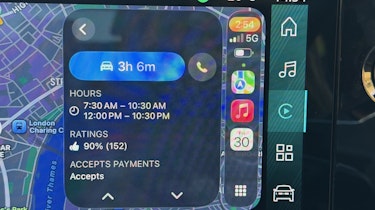
A frequently overlooked feature is the ability to initiate direct communication with a navigation destination. When a user searches for a business, restaurant, or service provider within the Maps interface, the system displays a dedicated phone icon on the destination card. By selecting this, the driver can instantly place a call to that location. This is particularly useful for verifying operating hours, checking real-time stock availability, or informing a business of an expected arrival delay, all without exiting the navigation environment or reaching for a handset.
2. Advanced Geospatial Recovery
The "Show Parked Location" feature serves as a critical tool for urban motorists. By leveraging location services and "Significant Locations" data, the vehicle’s head unit records the precise GPS coordinates at the moment the iPhone disconnects from the vehicle. This data is pinned to both Apple and Google Maps. Furthermore, for users integrated into the broader Apple ecosystem, the Apple Watch provides an additional layer of utility through the "Backtrack" function within the Compass app. This creates a digital breadcrumb trail, enabling users to navigate back to their vehicle in sprawling parking structures or unfamiliar urban centers.
3. Visual Ergonomics and System Customization
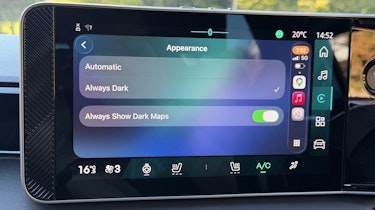
The transition between light and dark modes in CarPlay is typically governed by the vehicle’s ambient light sensor. However, the system allows for manual overrides to accommodate personal preference or varying cabin conditions. Users can navigate to the "Appearance" menu within CarPlay settings to select "Always Dark," ensuring a consistent, low-glare interface that remains aesthetically uniform regardless of external lighting conditions. This customization is a direct response to feedback from drivers who find the frequent brightness shifts of automatic sensors distracting during sunset or in tunnel transit.
4. Diagnostic and Documentation Tools
For those needing to document their infotainment setup, troubleshooting, or interface layout, the system supports native screen captures. By enabling "CarPlay Screenshots" in the iPhone’s Settings (General > Screen Capture), users can perform a standard device screenshot that simultaneously logs the CarPlay display. While this is restricted for use by the driver for obvious safety reasons, it provides a vital method for fleet managers or tech-savvy users to document system performance or configuration issues.
5. Collaborative Media Experiences
The introduction of SharePlay within the automotive environment marks a shift toward communal in-car entertainment. Designed for road trips, this feature allows passengers with an Apple Music subscription to join the vehicle’s audio session. Through a proximity-based discovery mechanism, passengers receive an invitation on their lock screens. To ensure the driver maintains final authority, all connection requests must be verified via a physical tap on the infotainment display. Alternatively, a QR code can be generated, allowing passengers to scan and join the audio stream, fostering a more interactive passenger experience while preventing unauthorized control of the media playback.
6. Efficient ETA Coordination
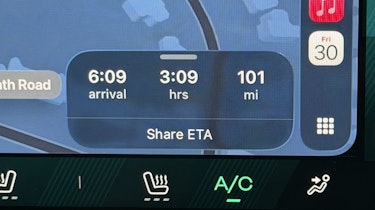
The "Share ETA" function has replaced the need for manual check-ins. By utilizing the route card in Apple Maps, a driver can share their progress with contacts in real-time. This feature, which requires activation in the Maps settings menu, provides recipients with a live tracking link, effectively reducing the need for text-based updates and ensuring greater safety by minimizing manual interaction with the phone while in motion.
7. Synchronized Personal Management
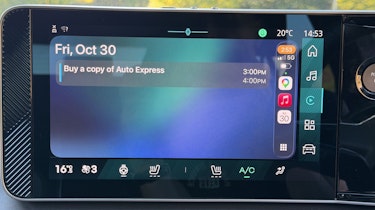
CarPlay’s integration with the iPhone’s Calendar app creates a proactive personal assistant. The system displays upcoming appointments and provides one-touch directions to event locations. For users who rely on Google Calendar, the system remains highly compatible; by syncing a secondary calendar account to the iPhone’s native Calendar app, all entries are automatically ported to the dashboard, ensuring no schedule conflicts occur during travel.
8. Driver-Centric Focus Modes
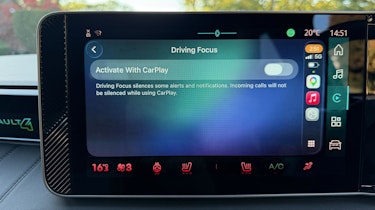
The "Driving Focus" mode is perhaps the most significant safety-oriented feature currently available. Once activated, the system automatically filters notifications and incoming calls. Crucially, it provides an automated response mechanism, informing senders that the user is currently operating a vehicle. This can be configured to allow "Urgent" notifications to bypass the filter, ensuring that while general distractions are minimized, critical communications remain accessible.
9. Stationary Media Consumption
With the latest iOS 27 updates, the system has introduced support for video playback from platforms such as YouTube and Netflix. In line with strict automotive safety regulations, this functionality is restricted to when the vehicle is in "Park." The moment the vehicle enters a drive gear, the system automatically transitions to an audio-only mode, ensuring the driver remains focused on the road while still allowing passengers to enjoy audio content.
10. Intelligent Automation Sequences
Perhaps the most powerful feature is the integration with the iPhone’s "Shortcuts" app. Users can build complex "if-this-then-that" scenarios that trigger upon connecting or disconnecting from the car. Examples include triggering a custom welcome message, launching specific productivity apps, or playing a curated playlist. When combined with Apple Home-enabled smart devices, the car acts as a remote trigger for the home; for instance, the system can be programmed to illuminate porch lights as the vehicle approaches the driveway, demonstrating the increasing synergy between automotive and home automation.
Implications for the Automotive Industry
The expansion of these features carries significant implications for the automotive sector. As manufacturers move toward standardizing high-resolution touchscreens, the dependency on software like CarPlay is increasing. Analysts from the automotive sector suggest that the "stickiness" of the Apple ecosystem is now a major driver in new car sales.
Official statements from Apple have consistently emphasized that their goal is to provide a "safety-first" environment, yet the inclusion of video playback and complex automation suggests a pivot toward the "third space"—a concept where the vehicle serves as an extension of the living room or office. This shift presents both opportunities and challenges for automakers, who must now balance the integration of third-party software with the need to maintain control over the vehicle’s core operating data.

Future Outlook and Conclusion
Looking ahead to the remainder of the 2020s, it is clear that the integration between smartphones and vehicles will only deepen. The transition toward autonomous and semi-autonomous driving features will likely see CarPlay expand its functionality further, potentially incorporating biometric authentication or advanced vehicle-to-everything (V2X) communication.
For the everyday driver, mastering these features is more than just an exercise in convenience; it is an opportunity to optimize the driving experience for both safety and efficiency. By moving beyond the basic navigation and media playback functions, motorists can utilize their vehicle’s infotainment system as a robust tool for connectivity, organization, and personalized comfort. As iOS 27 continues to mature, the gap between a standard dashboard and a highly customized digital cockpit will continue to narrow, placing unprecedented power in the hands of the driver.