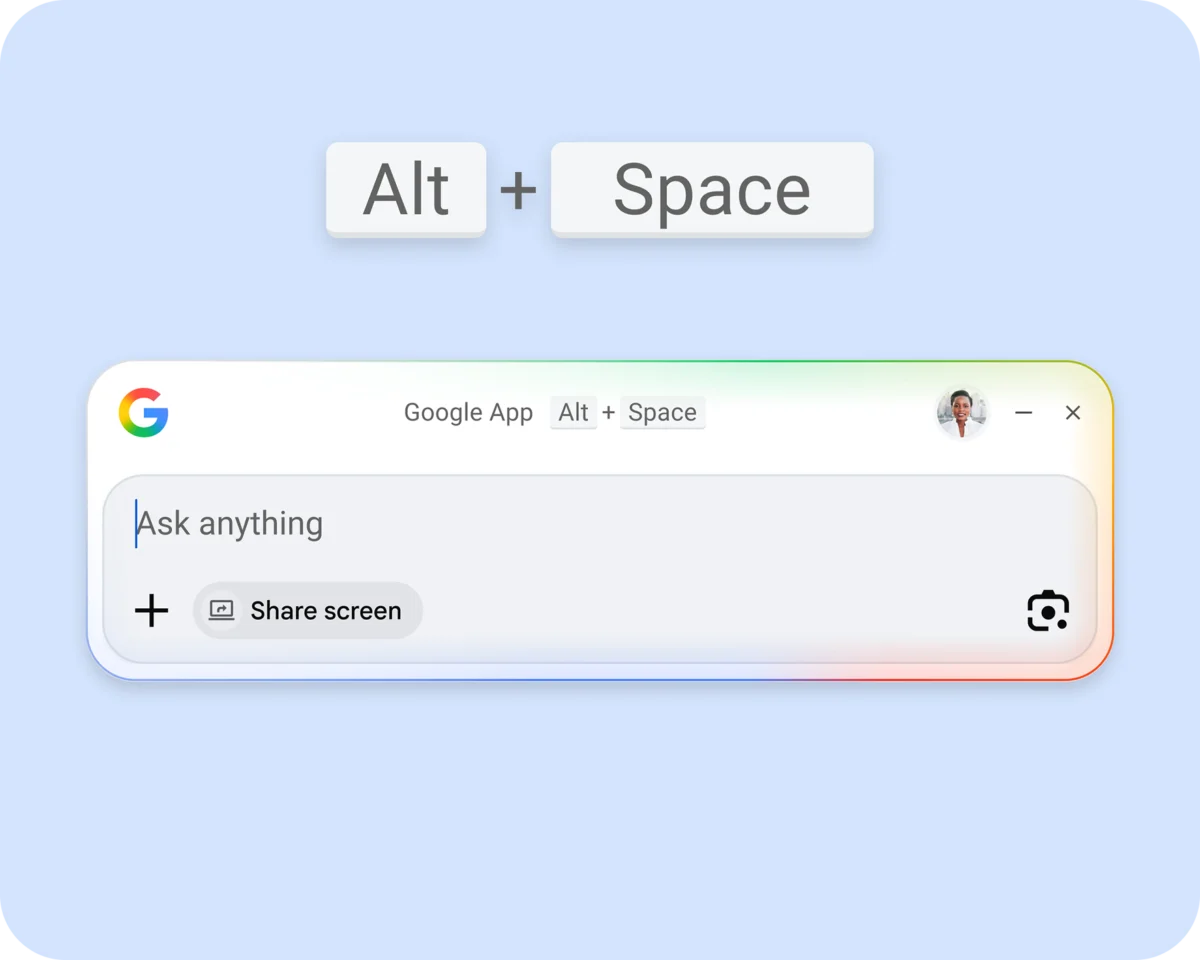
Google has officially launched its first standalone desktop application for Gemini on macOS, signaling a significant move to embed its advanced artificial intelligence capabilities directly into the desktop environment. This introduction positions Gemini as a potent AI companion for Mac users, particularly in the absence of a dedicated Google Search application for the platform, effectively filling a crucial gap with its AI-centric functionalities. The release is a direct response to sustained user demand for a native Mac experience, a sentiment echoed by Google’s Josh Woodward, who noted the company had been receiving numerous requests for such an application.
Genesis of a Native Mac Experience: Rapid Development and Strategic Imperatives
The development timeline for the Gemini Mac app was remarkably swift. A small, dedicated team at Google managed to bring the application to fruition in less than 100 days, delivering a robust suite of over 100 features. This rapid development cycle underscores Google’s agility and commitment to accelerating its AI initiatives across platforms. Sundar Pichai, CEO of Google and Alphabet, highlighted that the entire application was built using Google Antigravity, an "AI-first IDE" (Integrated Development Environment) developed by the company. This internal tool appears to be a key enabler for rapid, AI-driven software development, allowing Google to quickly translate user needs into functional products.
The decision to develop a native Mac application for Gemini holds strategic importance for Google. While Google has a strong web presence and various mobile apps, a native desktop application offers a deeper level of integration and a more seamless user experience, often preferred for sustained productivity tasks. For Mac users, who constitute a significant and often influential segment of the tech-savvy population, having direct access to Google’s leading AI model without browser constraints or a multi-step login process is a notable enhancement.
Unpacking Gemini’s Capabilities on macOS: A Feature-Rich AI Companion
The Gemini app for Mac integrates a comprehensive array of features, mirroring much of the functionality available in its web counterpart and its existing Windows application. A key convenience feature is its quick access mechanism: users can invoke a Gemini prompt bar at any time by simply hitting Option + Space, reminiscent of how the Windows search application is accessed. This immediate availability transforms Gemini from a web service into an omnipresent assistant, ready to field queries or assist with tasks.
Beyond general questions, the Mac app’s standout capability lies in its contextual awareness. Similar to its Windows counterpart, the Gemini app can access information from open windows on the user’s desktop, providing an additional layer of context for its responses. This deep integration allows Gemini to assist with tasks directly relevant to what the user is currently working on, whether it’s summarizing a document, drafting an email based on an open webpage, or analyzing data within a spreadsheet. This contextual understanding is a critical differentiator, moving beyond simple Q&A to truly assistive AI.
Technically, the application is coded entirely in Swift, Apple’s powerful and intuitive programming language for building apps across its platforms. This choice ensures optimal performance, tight integration with the macOS environment, and adherence to Apple’s design principles, promising a fluid and responsive user experience. The app supports a full range of Gemini features and model types, including:
- File Uploads: Users can upload documents, images, and other files directly to Gemini for analysis, summarization, or content generation.
- Notebooks: The ability to create and manage "notebooks" allows users to organize their AI interactions, saving prompts, responses, and generated content for future reference or continued work.
- Advanced Tools: Access to specialized tools like "Deep Research" for in-depth information gathering and "Canvas" for collaborative brainstorming or visual content creation further enhances its utility for professional and creative tasks.
- Generative AI Models: The Mac app provides access to Gemini’s cutting-edge generative capabilities, including models for generating images, videos, and music. This empowers users to create diverse content directly from their desktop, pushing the boundaries of creative workflows.
Google has also indicated that "more features are apparently on the way," suggesting a continuous evolution and enhancement of the desktop experience, likely incorporating deeper system integrations and new AI capabilities as they emerge.
Google’s Broader AI Strategy and the Competitive Landscape
The release of Gemini for Mac is not an isolated event but a critical component of Google’s overarching AI strategy, which has seen a rapid evolution from its earlier Bard iteration to the more powerful and integrated Gemini models. Google has consistently emphasized its "AI-first" approach, aiming to infuse artificial intelligence into every facet of its product ecosystem. This strategy is playing out in an increasingly competitive landscape, often dubbed the "AI race."
Key competitors like OpenAI with ChatGPT, Microsoft with Copilot (deeply integrated into Windows and Microsoft 365), and even Apple with its rumored on-device AI initiatives, are vying for dominance in the generative AI space. By launching a native desktop app for Mac, Google is directly challenging Microsoft’s Copilot on a platform where Microsoft has traditionally offered strong productivity suites. It also preempts potential moves from Apple, ensuring Google’s AI has a direct presence before Apple fully rolls out its own advanced AI features, expected to be deeply integrated into macOS.
The macOS user base, while smaller than Windows, represents a crucial demographic characterized by a high proportion of creative professionals, developers, and users who value premium software experiences. Capturing this segment with a native, high-performance AI tool is vital for Google to broaden its AI adoption and maintain its position as a leader in the field. The move also signals Google’s intent to diversify access points for Gemini, moving beyond web browsers and mobile devices to become an indispensable part of the desktop computing experience.
The Distribution Dilemma: DMG vs. App Store
One of the most notable aspects of the Gemini Mac app’s launch is Google’s chosen method of distribution. Instead of listing the application on the official Mac App Store, Google has opted for direct distribution via a downloadable DMG file from its website (gemini.google/mac/). This decision carries several implications for both Google and its users.
For Google, bypassing the App Store offers several strategic advantages:
- Full Control: Google retains complete control over updates, user data, and the application’s functionality without needing to adhere to Apple’s stringent App Store guidelines or go through its review process.
- No Revenue Share: Google avoids Apple’s standard 15-30% commission on in-app purchases or subscriptions, though Gemini is currently free. This could be a significant factor if premium features or subscription tiers are introduced in the future.
- Direct User Relationship: Distributing directly allows Google to foster a more direct relationship with its users, potentially facilitating faster feedback loops and personalized support.
- Flexibility: It grants Google more flexibility in terms of feature rollouts and experimental updates, unconstrained by Apple’s often slower approval processes.
However, this approach also presents potential drawbacks and user considerations:
- Security Concerns: While DMG files are a standard distribution method for many legitimate Mac applications (e.g., Chrome, Firefox, Adobe Creative Cloud), some users may view downloading outside the App Store with caution due to perceived security risks, even though macOS has robust Gatekeeper protections.
- Ease of Installation and Updates: App Store applications benefit from simplified installation and automatic updates managed directly by the operating system. Users downloading a DMG file must manually install the application and typically rely on the app’s internal update mechanism, which may be less seamless for some.
- Discoverability: The App Store serves as a central hub for app discovery. Bypassing it means Google must rely on its own marketing channels and brand recognition to drive adoption.
Despite these considerations, Google’s track record with direct distribution for major applications like Chrome suggests that many users are comfortable with this method. The app is available in all regions and languages where Gemini is supported, ensuring broad accessibility from day one.
Developer Insights and the Antigravity Framework
The mention of Google Antigravity by Sundar Pichai offers a glimpse into Google’s internal developer ecosystem and its commitment to AI-driven software creation. While specific details about Antigravity are proprietary, an "AI-first IDE" implies a development environment where AI tools are deeply integrated into the coding process, potentially assisting with code generation, debugging, testing, and optimization. This could significantly reduce development time and enhance developer productivity, explaining how a small team could deliver a feature-rich application in under 100 days.
The use of Swift for the front-end application underscores Google’s commitment to delivering a native, high-quality experience on macOS. Swift is known for its performance, safety, and modern syntax, making it an excellent choice for applications that demand responsiveness and seamless integration with Apple’s ecosystem. This combination of an internal AI-powered development framework (Antigravity) and a platform-native language (Swift) highlights Google’s sophisticated approach to multi-platform software development in the age of AI.
User Experience and Future Outlook
The initial user experience of the Gemini app for Mac is expected to be characterized by its immediate accessibility and contextual intelligence. The Option + Space shortcut transforms AI interaction from a deliberate action into an ambient utility, allowing users to tap into Gemini’s power without breaking their workflow. The ability to process on-screen content makes it a truly integrated assistant, capable of understanding and acting upon the user’s current digital environment.
Looking ahead, the "more features on the way" promise suggests a roadmap for deeper integration with macOS. This could include system-wide text processing, enhanced file management capabilities driven by AI, tighter integration with Google Workspace applications, or even offline AI capabilities for certain tasks. As AI models become more efficient and capable of running locally, the desktop app could evolve to offer greater privacy and speed for specific functions.
The introduction of the Gemini desktop app for Mac is a pivotal moment for Google’s AI strategy. It not only broadens the reach of its advanced AI models but also cements its position as a serious contender in the burgeoning market for desktop-integrated artificial intelligence. By providing a native, feature-rich, and contextually aware AI assistant, Google is empowering Mac users with new levels of productivity and creativity, further solidifying the role of AI as an indispensable tool in modern computing. This move sets the stage for intensified competition and continued innovation in the rapidly evolving landscape of personal AI assistants.